
Pickleball group cost tracking
Schedule the game. Know who paid.
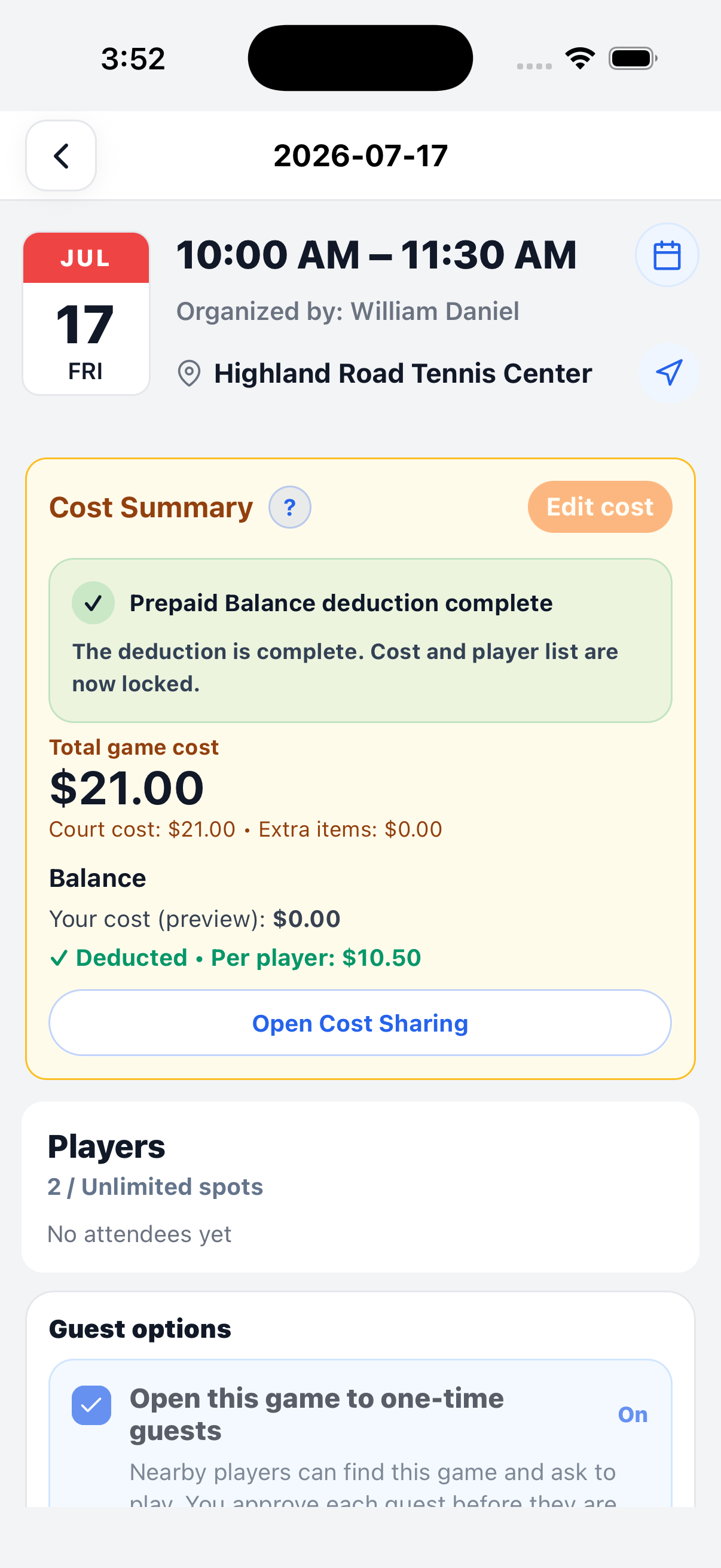
PickleWallet turns your game attendance into a clear per-player cost record. You schedule the game, players confirm, and PickleWallet keeps track of the split, payment confirmations, and history.


Players pay outside PickleWallet. You keep the shared record here.
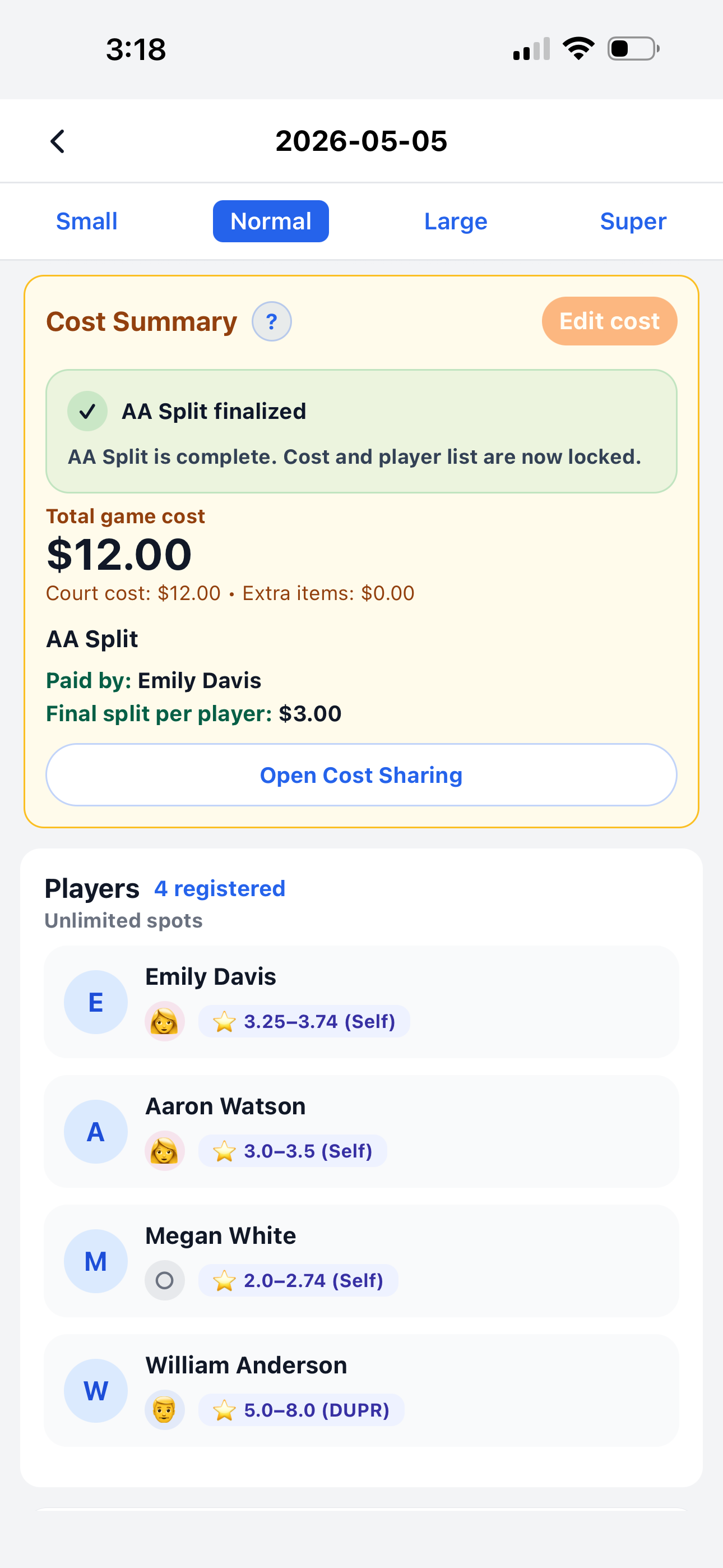
The game receipt
One game. One clear record.
From attendance to a complete cost record, PickleWallet keeps everything together so you always know who owes what.
Who played
Track who attended—the attendance list determines the split.
4 players = split confirmed
What each owes
Once attendance is final, see what you need to pay and what each player owes.
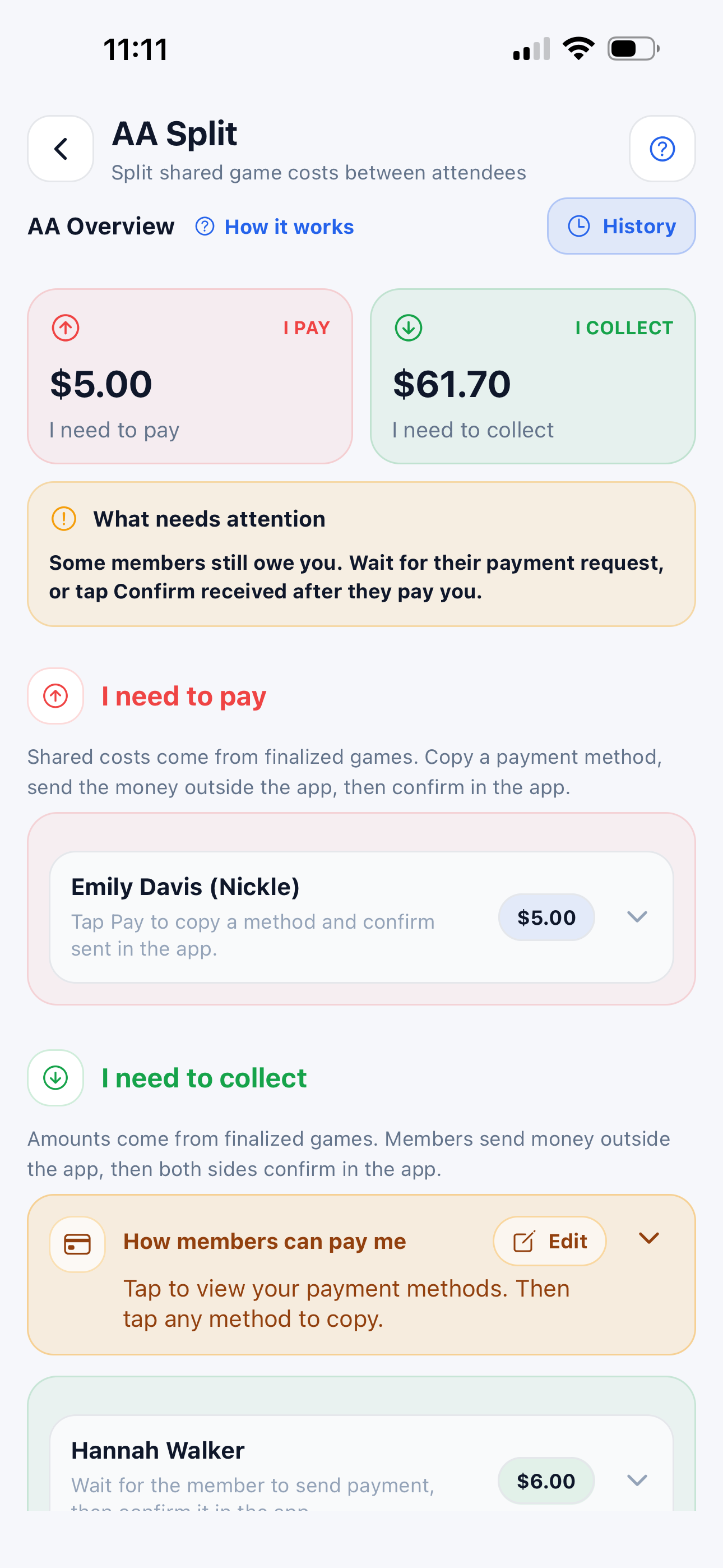
See every amount clearly
What’s confirmed
Record payments as they arrive, with the date, method, and game count.
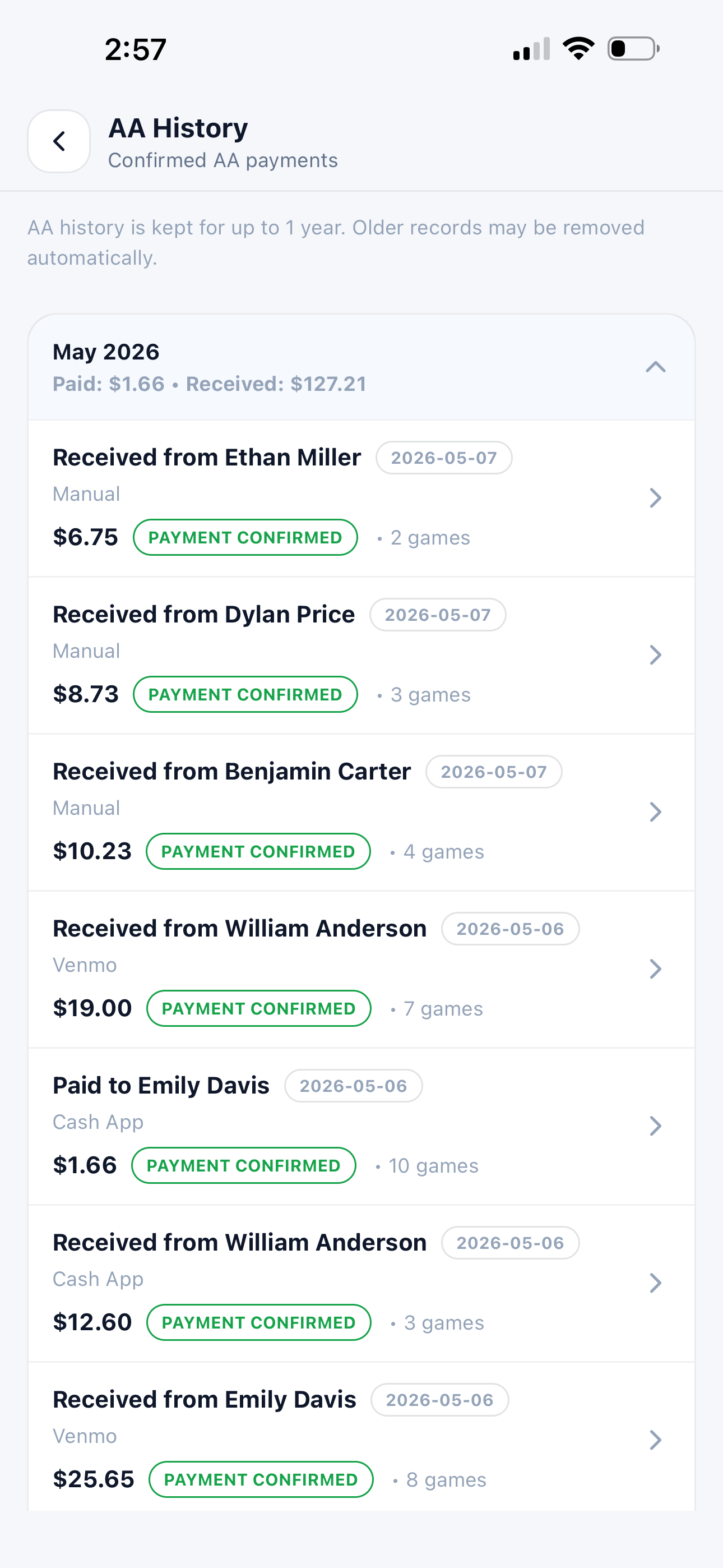
Every payment, in one place
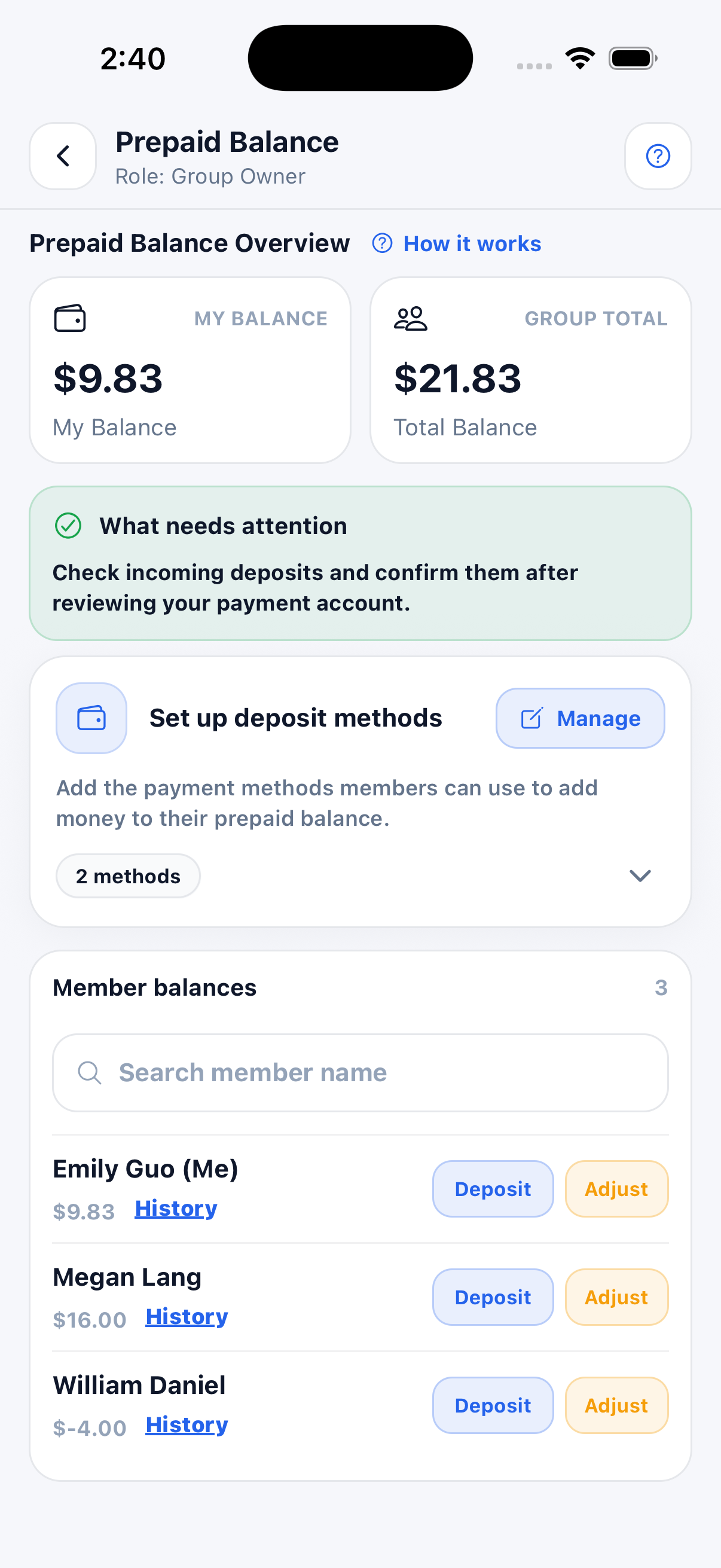
Prepaid balances
Prefer to collect ahead?
Let players add a prepaid balance to cover future games. Use prepaid balances for your pickleball group and always know where things stand.
No spreadsheet required.
Players pay outside PickleWallet. You keep the shared record here.
App Guide
Every instruction is still here.
Learn how to create a group, schedule a game, manage players, split court costs, and use prepaid balances.
No guide matched that search. Try game, group, invite, court, or balance.