Courts & Parks
Save the courts and parks your group uses most often. PickleWallet lets you add courts, mark the primary court, choose the court type, and quickly use saved courts when creating a game.
What courts are used for
Courts help your group create games faster and keep the correct court cost setting for each game.
Save group courts
Add the courts and parks your group uses so you do not need to enter the address every time.
Choose primary court
The primary court becomes the default court when you create a new game.
Set court type
Mark a court as free, membership-based, or paid so cost sharing is easier.
Manage your group courts
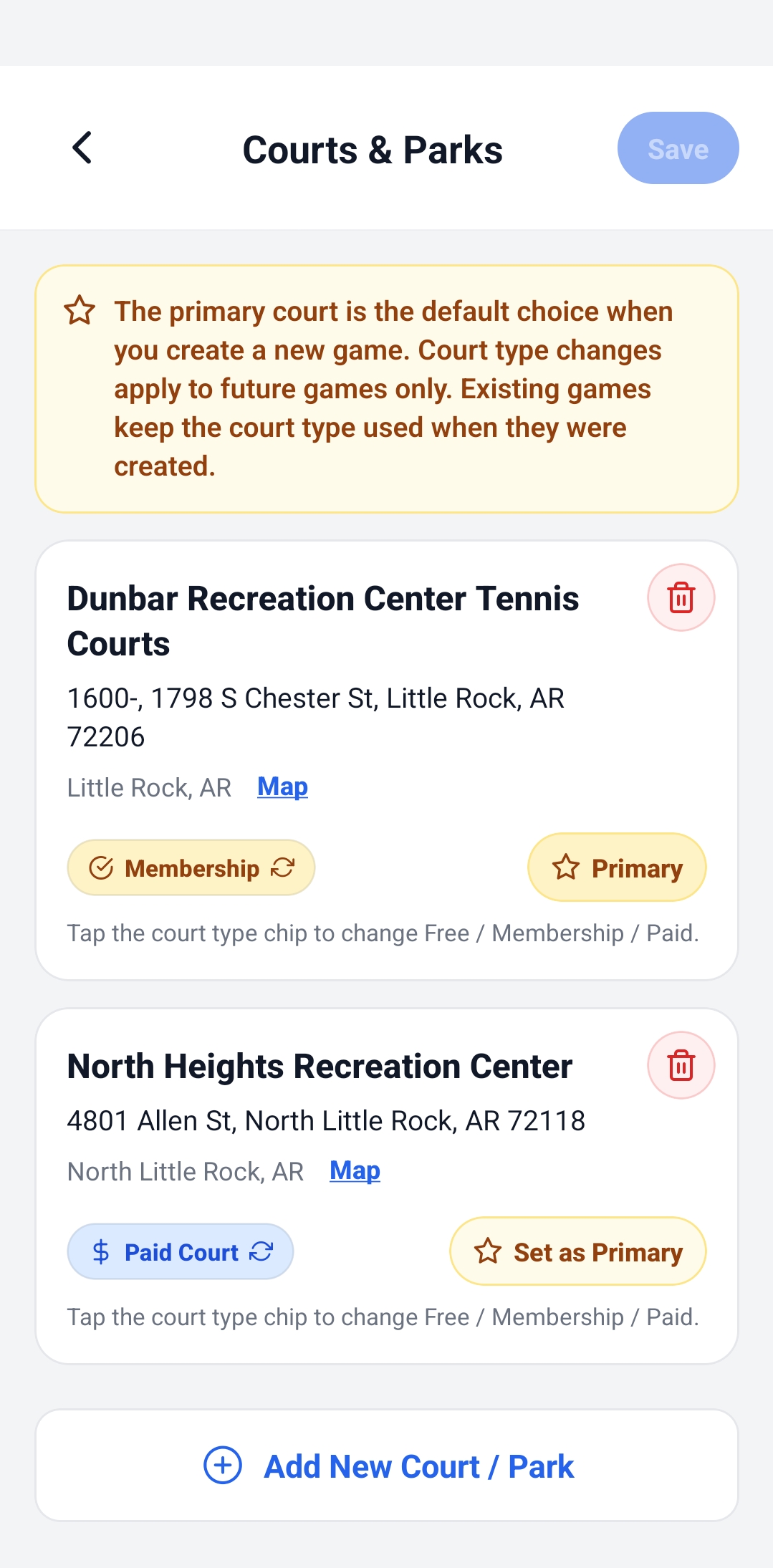
The Courts & Parks page shows all saved courts for the group. Owners and co-helpers can add new courts, delete old courts, change court type, and choose which one is primary.
- ✅ Add New Court / Park to save another place to play.
- ✅ Map opens the court location.
- ✅ Set as Primary makes that court the default for new games.
- ✅ Delete removes a court from the group list.
Understand court types
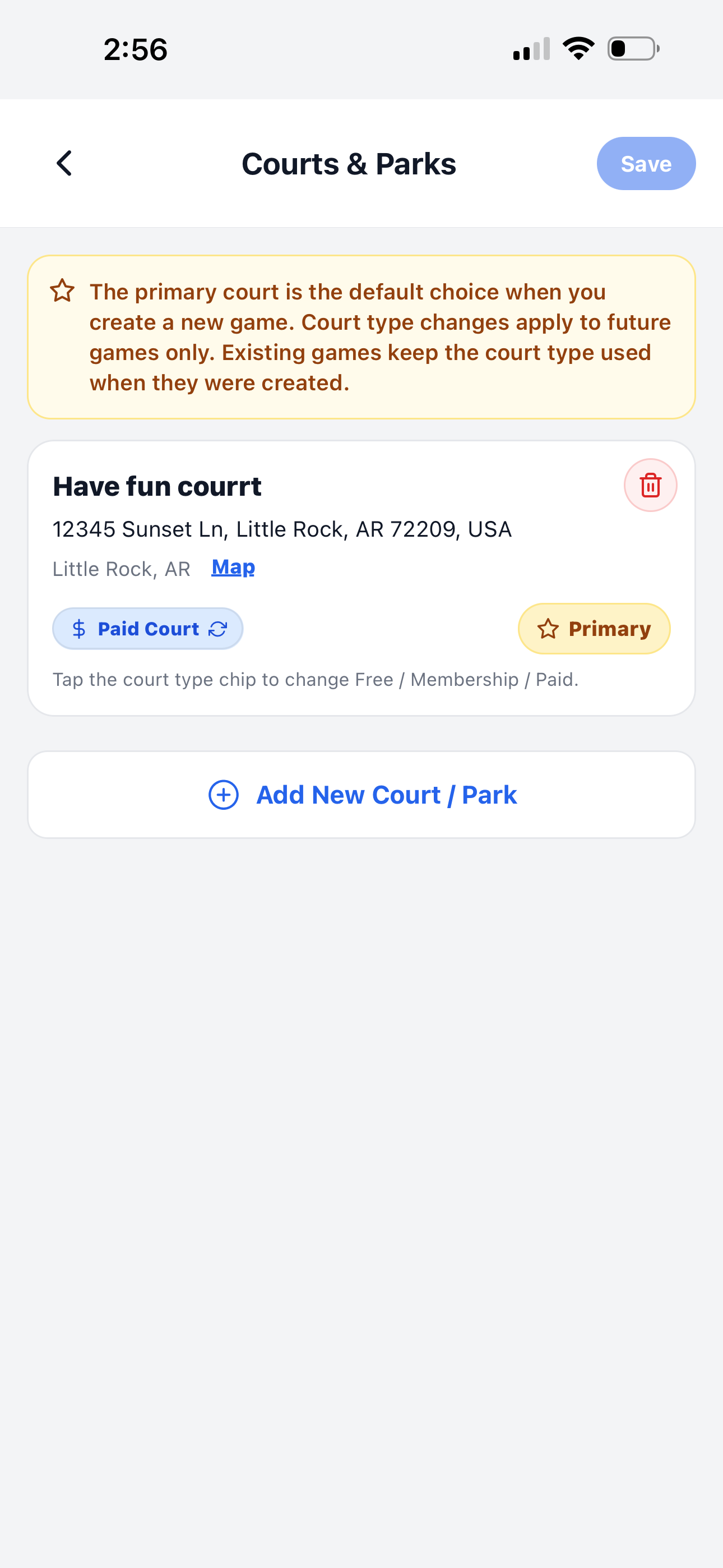
Court type helps the app decide how to show cost options when creating a game. You can tap the court type chip to switch between Free, Membership, and Paid.
- ⭐ Primary means this court is selected first for new games.
- 🔄 Court type changes apply to future games only.
- 🧾 Existing games keep their original court type and cost setup.
Pick a court from search or map
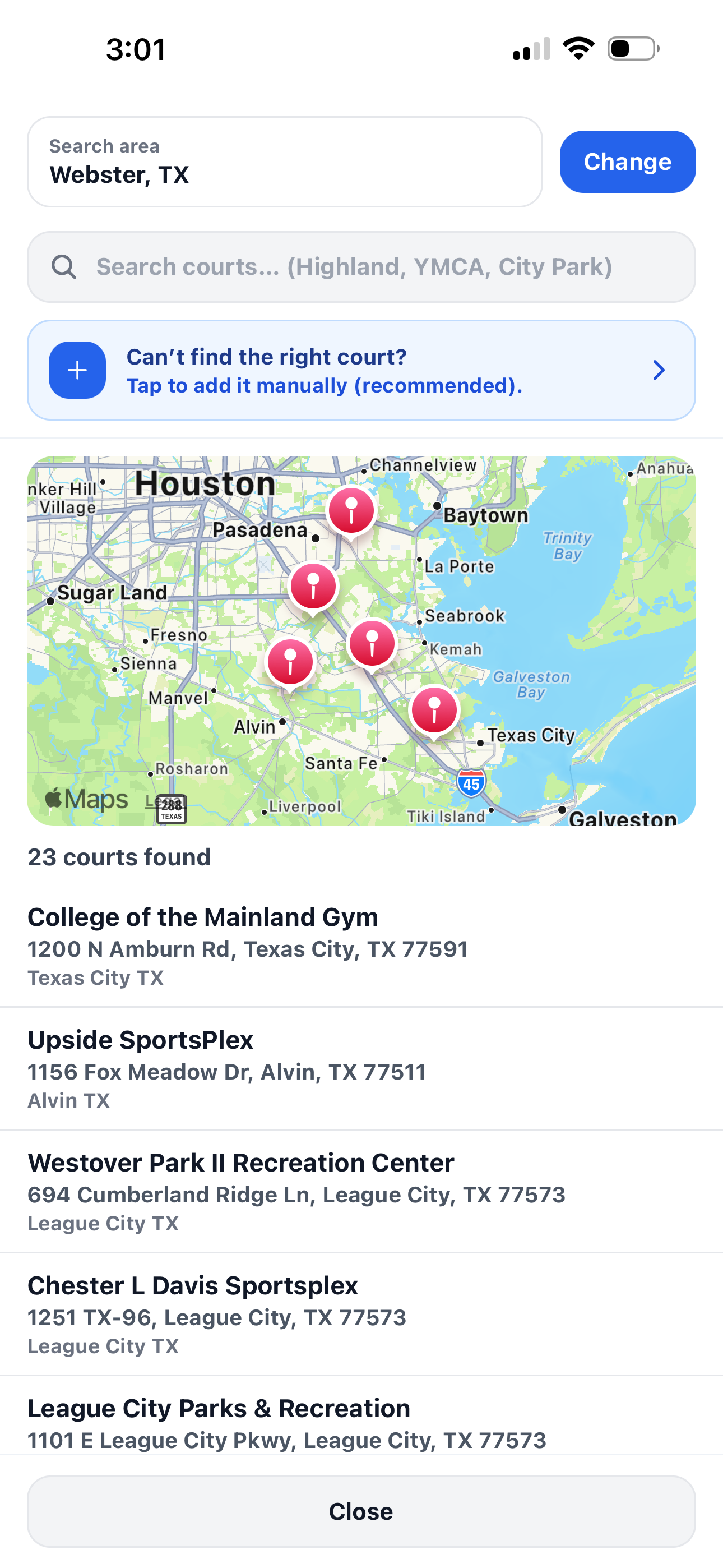
When adding a court, you can search by court name or area. PickleWallet can show nearby courts on a map and in a list, so you can quickly choose the right location.
- 🔎 Search courts by name, city, park, YMCA, or recreation center.
- 🗺️ Use map results to check nearby court locations.
- ➕ Add manually if you cannot find the right court.
- 📍 Change search area when you want to look in another city.
Continue learning
Open another guide page to learn more about PickleWallet.