
Create a Group
Create a pickleball group for your regular players. Add the group name, location, visibility, skill range, age range, and typical play schedule.
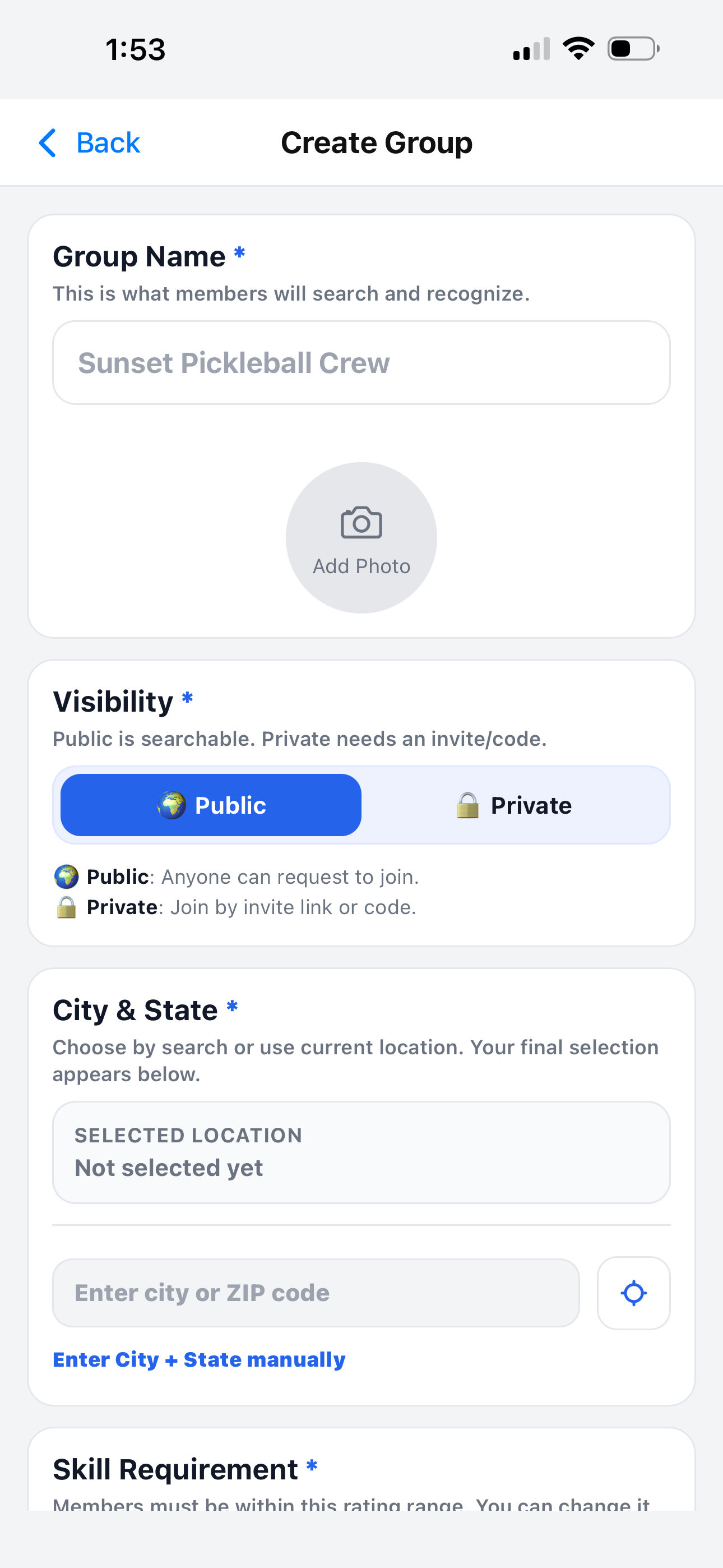
Start with the basic group information
This information helps members recognize your group and helps other players find it if the group is public.
Group name
Choose a clear name that members can search and recognize.
Public or private
Public groups are searchable. Private groups require an invite link or code.
City & state
Set the group location so players know where the group usually plays.
Group name, photo, visibility, and location
The first part of creating a group asks for the information players see before joining.
- ✅ Group Name is how members identify the group.
- ✅ Add Photo makes the group easier to recognize.
- ✅ Public lets players request to join.
- ✅ Private requires an invite link or invite code.
- ✅ City & State shows where the group is based.
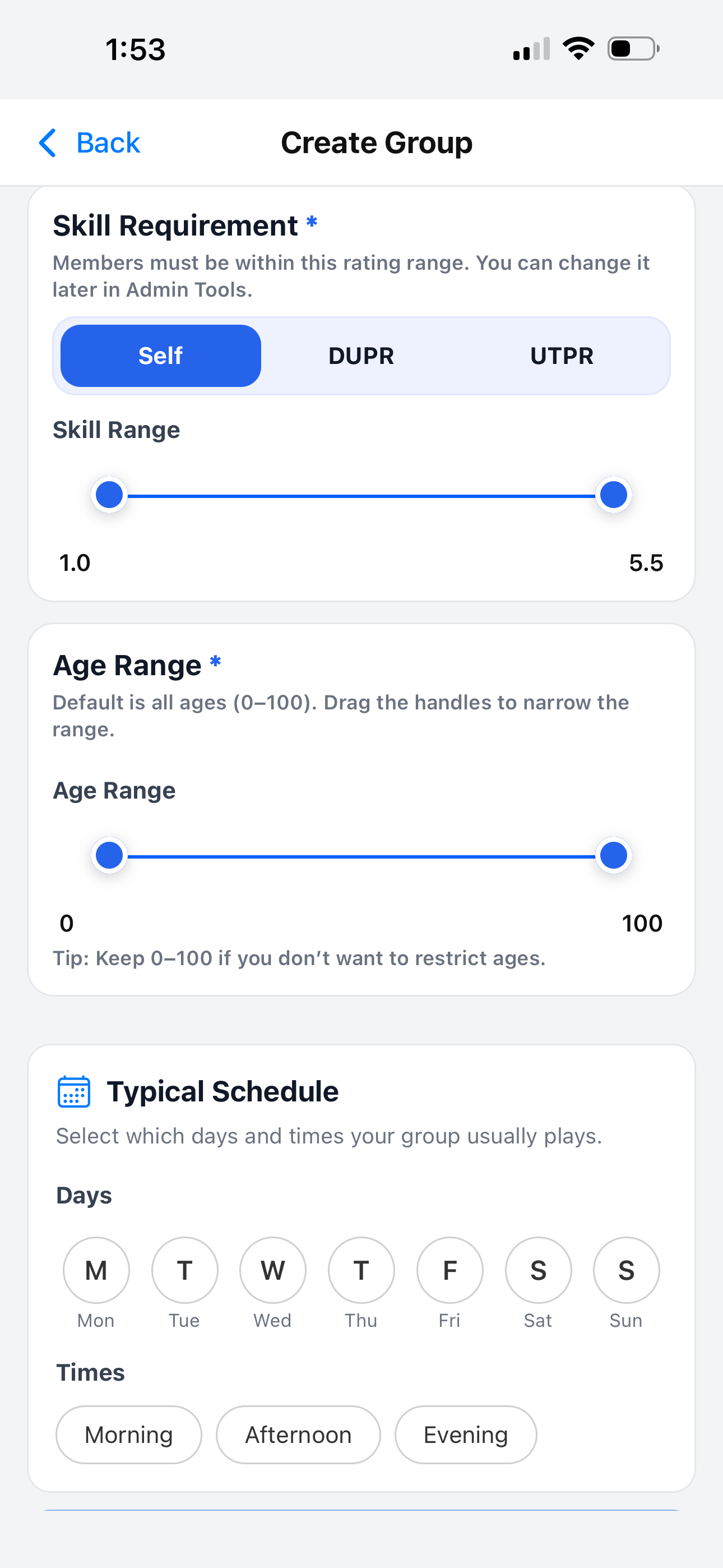
Set the player preferences
The second part helps explain what type of players the group is designed for. You can change these settings later in Admin Tools.
- 🏓 Skill Requirement can use Self, DUPR, or UTPR rating type.
- 📊 Skill Range shows the accepted player rating range.
- 👤 Age Range can stay 0–100 if you do not restrict ages.
- 📅 Typical Schedule shows when the group usually plays.
- 🕒 Times can be morning, afternoon, evening, or any combination.
Next steps after creating a group
After the group is created, you can open the group dashboard and start managing games.