
Game Detail
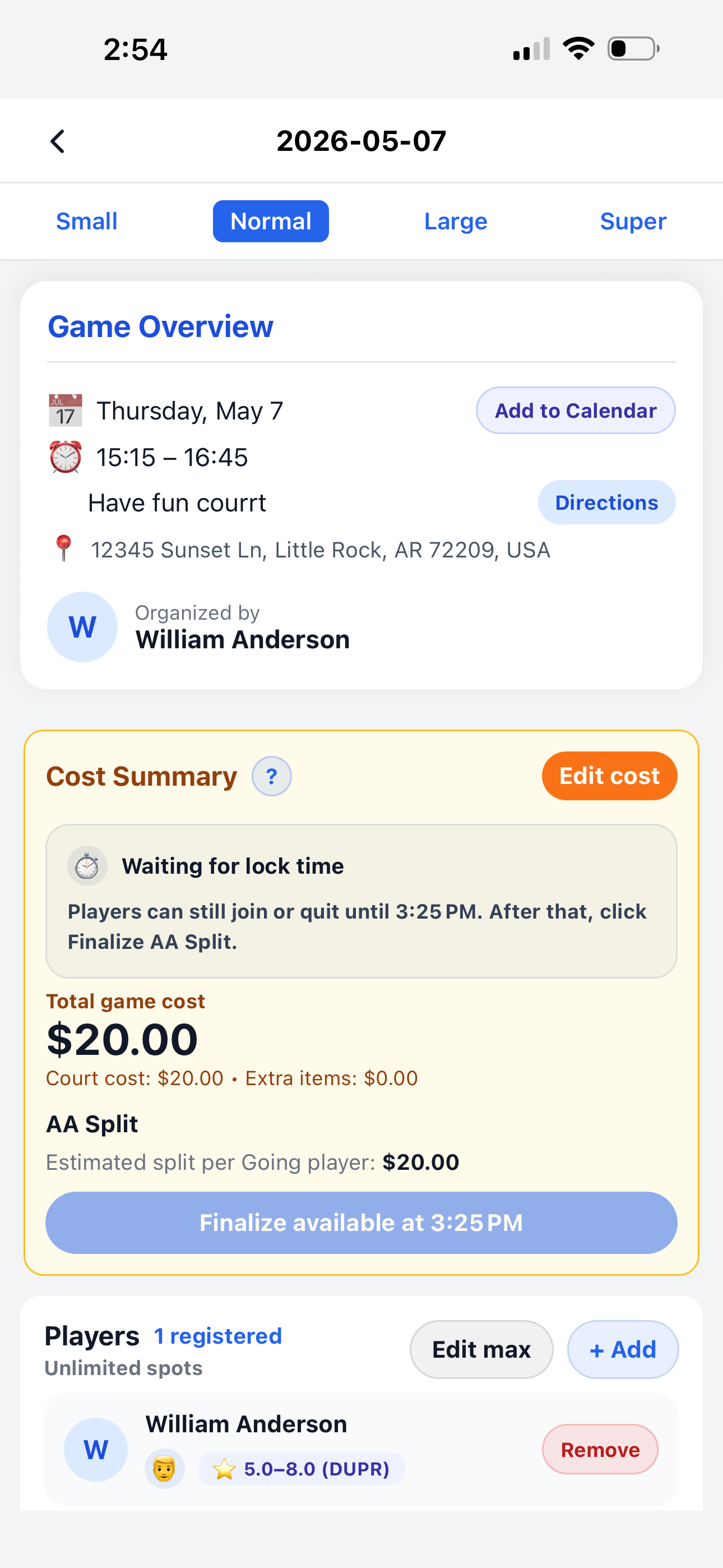
The Game Detail page shows everything for one game: the overview, directions, players, shared cost summary, and the final payment status after a Pay per game split or Prepaid Balance deduction is completed.
Everything for one game
Players and organizers can use this page to check the game information, view the cost summary, and see who is registered.
Game overview
See the date, time, court, address, and organizer.
Directions
Open the court location and navigate to the game.
Cost summary
View total cost, payment mode, and current cost status.
Players
Check who joined, how many spots are available, and manage attendees.
View game overview and players
At the top of the page, members can quickly see the game details and the current player list.
- 📅 Date and time show when the game happens.
- 📍 Court and address show where the game is played.
- 👤 Organized by shows who created or manages the game.
- ➕ Add to Calendar helps members save the game to their device calendar.
- 👥 Players shows who registered and how many spots are available.
Before payment is finalized
Before lock time, players may still be able to join or quit. The cost summary shows the current total and when final payment action becomes available.
- ⏱️ Waiting for lock time means the attendee list is not final yet.
- 💰 Total game cost shows the current shared amount.
- 🧾 Court cost and extra items show how the total was built.
- 📊 Estimated split shows the preview per player before finalization.
- 🔒 Finalize available at ... tells organizers when Pay per game can be finalized.
After the game cost is completed
The Cost Summary looks different depending on whether the group uses Pay per game or Prepaid Balance.
Pay per game cost finalized
When Pay per game is complete, the game cost and player list are locked. The cost summary shows the final shared result for that game.
- ✅ Pay per game cost finalized means the split is complete.
- 🔒 Cost and player list are now locked means game payment details can no longer change normally.
- 💵 Paid by shows who covered the game payment.
- 📊 Final split per player shows the final amount each attendee owes.
- 🔗 Open Cost Sharing opens the payment page for members.
Prepaid balances deducted
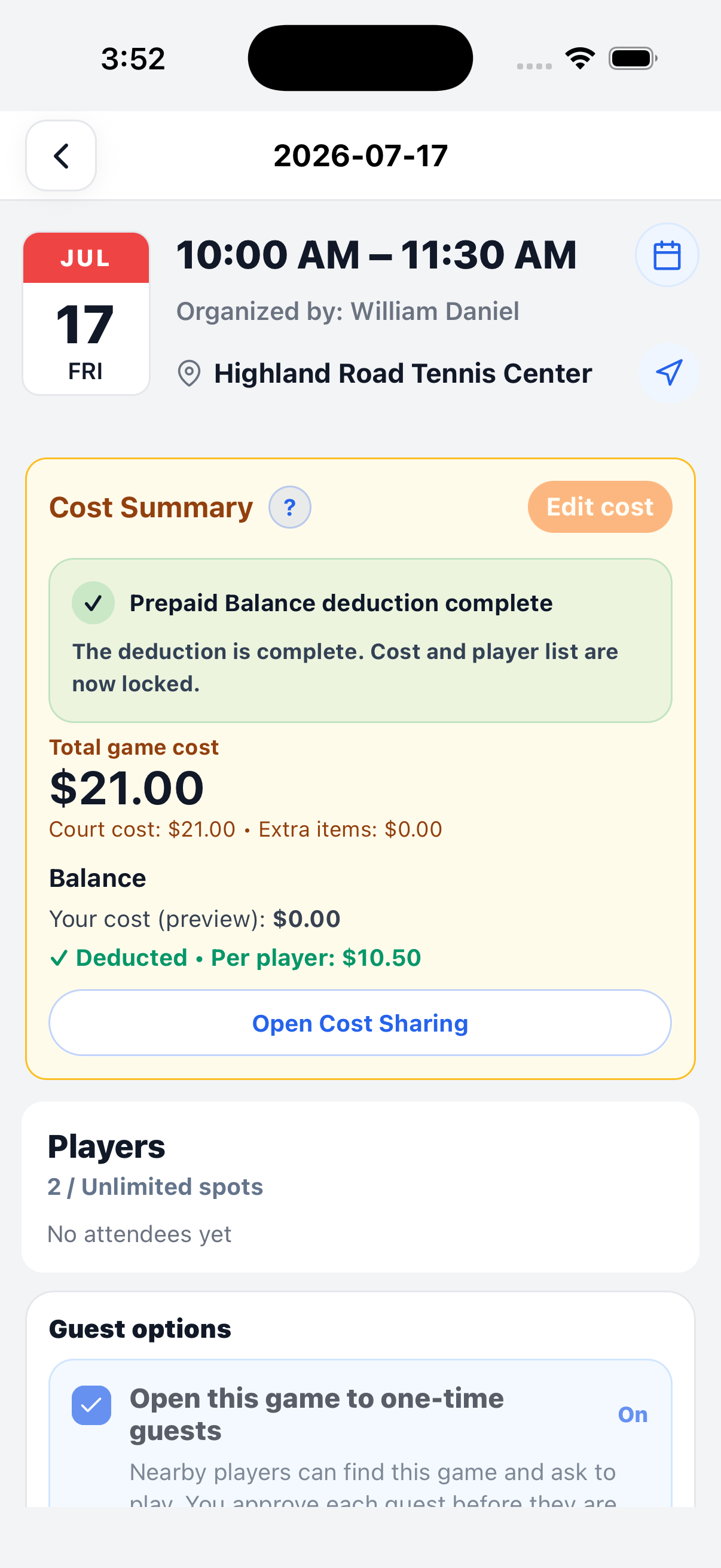
When the group uses Prepaid Balance, the cost summary shows the recorded deduction result after the deduction is completed.
- ✅ Prepaid balances deducted means the recorded balance deductions are complete.
- 🔒 Cost and player list are now locked means the shared cost is finalized for that game.
- 💰 Your cost (preview) shows the member cost for that game.
- 📊 Per player shows the final deduction amount used for each attendee.
- 🔗 Open Cost Sharing opens the Prepaid Balance page for more details.
Continue learning
Open another guide page to learn more about game setup and cost sharing.