Home Page
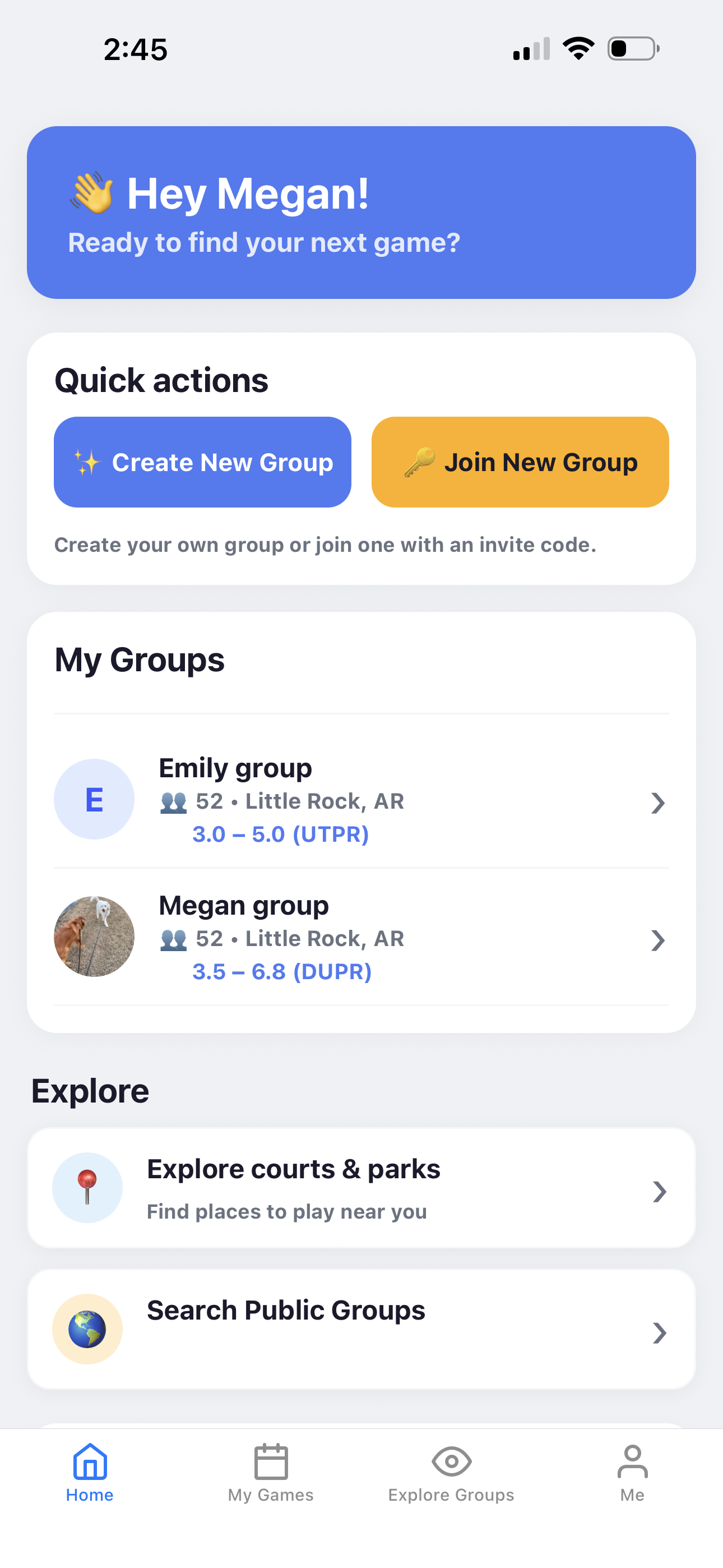
The Home page is the starting point of PickleWallet. From here, you can create or join groups, find nearby public groups and one-time games, open your saved groups, and move between the main sections of the app.
Start from the Home page
The Home page gives you fast access to the most common actions.
Create group
Start your own pickleball group. After creating a group, you can invite players, add courts, create games, and set up cost sharing.
Join group
Join another group using an invite code or invite link from the group owner or co-helper.
Find group
Search for public groups near your selected court or city and send a request to join.
Find game
Find nearby games that accept one-time guests and request a spot without joining the group.
Keep one-time games easy to find
The One-Time Games card keeps guest requests and invitations separate from your regular groups.
- ✅ Pending requests stay visible while the organizer reviews them.
- ✅ Invitations can be accepted or declined from One-Time Games.
- ✅ Approved games show court instructions and guest messages.
- ✅ Guest payments appear here after a paid game is finalized.
Open and manage your groups
The My Groups section shows your active groups. Each group card can show the group name, location, member count, and skill range.
- ✅ Tap a group to open the group dashboard.
- ✅ Member count helps you see the group size.
- ✅ Location shows where the group is based.
- ✅ Skill range helps players understand the group level.
Explore courts and places to play
The Explore section helps players find nearby courts and other places to play.
- 📍 Explore courts & parks helps you find places to play near you.
- 🌎 Find group on the Home page searches nearby public groups.
- 🔎 Find game searches nearby games accepting one-time guests.
Use the bottom tabs
The bottom tabs help you move between the main app areas.
Continue learning
Open another guide page to learn more about PickleWallet.